Combining designs can make production and shipping more efficient, but only when each artwork, quantity, side and accessory remains traceable from upload to packing.
Give every design a stable name, assign its own quantity, pair related files with matching prefixes and provide one order manifest that lists size, material, finish, hardware and packing for every variant.
01
Key takeaways
Use these decisions to guide the detailed checks below.
- Give each design and variant a stable identity.
- Record quantities by finished ordering unit, not by file count.
- Pair all front/back, base and accessory references in one manifest.
- Separate optional variants from approved production instructions.
- Make the proof and packing list use the same design IDs.
| Order structure | Quantity means | Extra record needed |
|---|---|---|
| Single item per design | Finished pieces of that variant | Design ID and piece count |
| Matched component set | Complete sets | Components belonging to each set |
| Sticker sheet | Finished sheets | Cuts and layout on each sheet |
| Retail assortment | Finished packs | Included designs and pieces per pack |
02
Build a simple order manifest
Use one row per design or variant. Record the design ID, product, size, finish, hardware, quantity and packing requirement so totals can be checked without opening artwork files.
03
Use filenames that stay paired
Names such as MoonCat_A_front and MoonCat_A_back are safer than final2-new.png. Keep the same prefix for all files belonging to one finished product.
04
Assign quantities per design
Do not provide only a grand total. List the required pieces for each design and make sure the manifest total matches the cart or quotation.
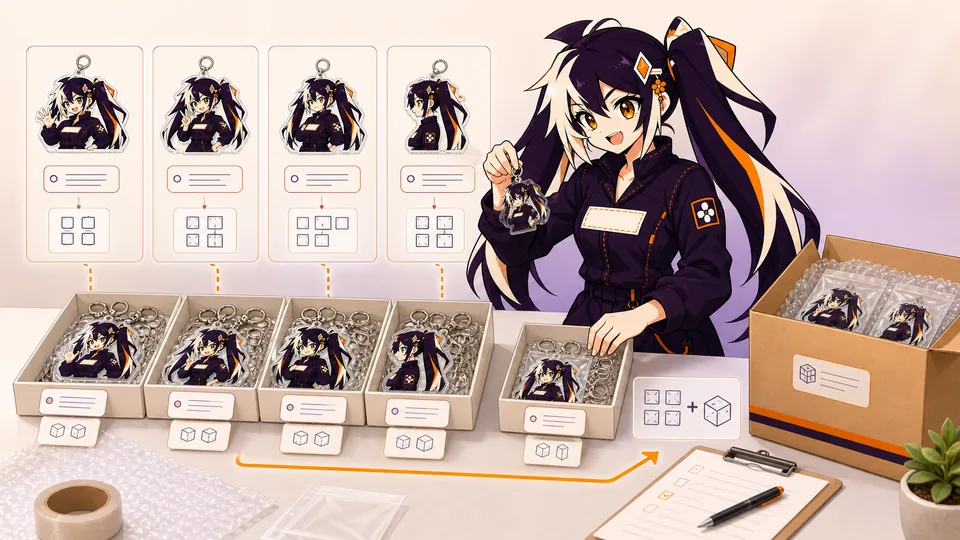
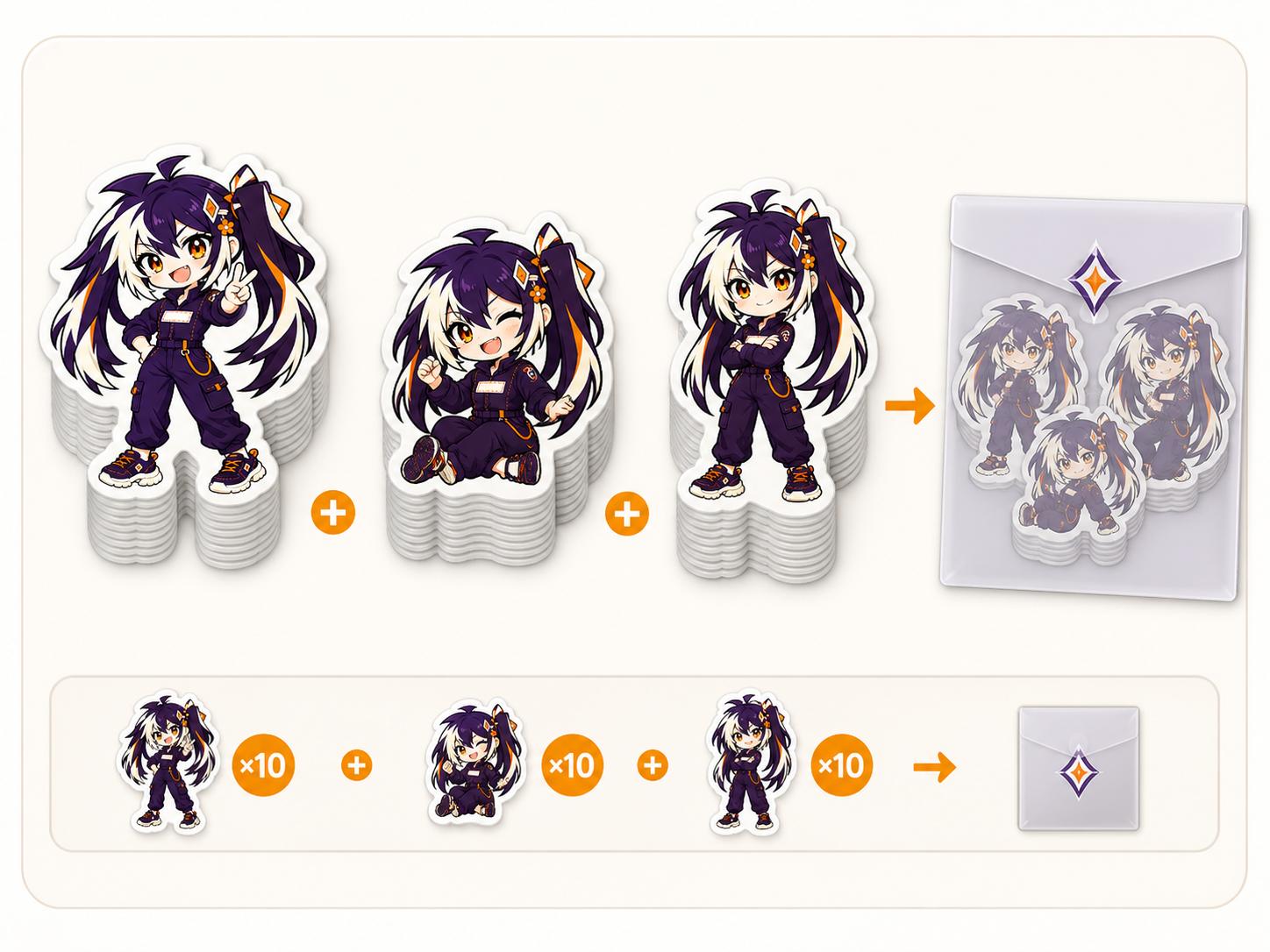
A quantity field is useful only when its unit is explicit. For an illustrative assortment, suppose one retail pack contains one piece each of three designs. Ten packs require ten of each design and thirty individual pieces, but the order-entry quantity may still be ten packs. This arithmetic example is not a minimum order or a description of how every product page counts units. Confirm the ordering unit for the selected product.
If the buyer also wants some designs sold individually, keep those units separate from the pack allocation. Otherwise the same pieces can be counted twice: once as loose stock and again as pack contents. A manifest should show whether quantities are reserved for an assortment, loose sale, samples or display. Confirm the final production and packing instructions with the supplier rather than relying on an internal spreadsheet that has not been shared.
05
Standardize shared specifications where possible
Using the same size, material, finish and packing across several designs reduces ambiguity. Call out exceptions explicitly rather than hiding them in file comments.
06
Approve and pack by design ID
Review every proof against the manifest, then keep the same design ID on sample notes and packing labels. This creates a traceable path for reorders.
- One ID per design and variant.
- One quantity per ID.
- One final proof linked to each ID.
07
Use filenames and a manifest that remain traceable
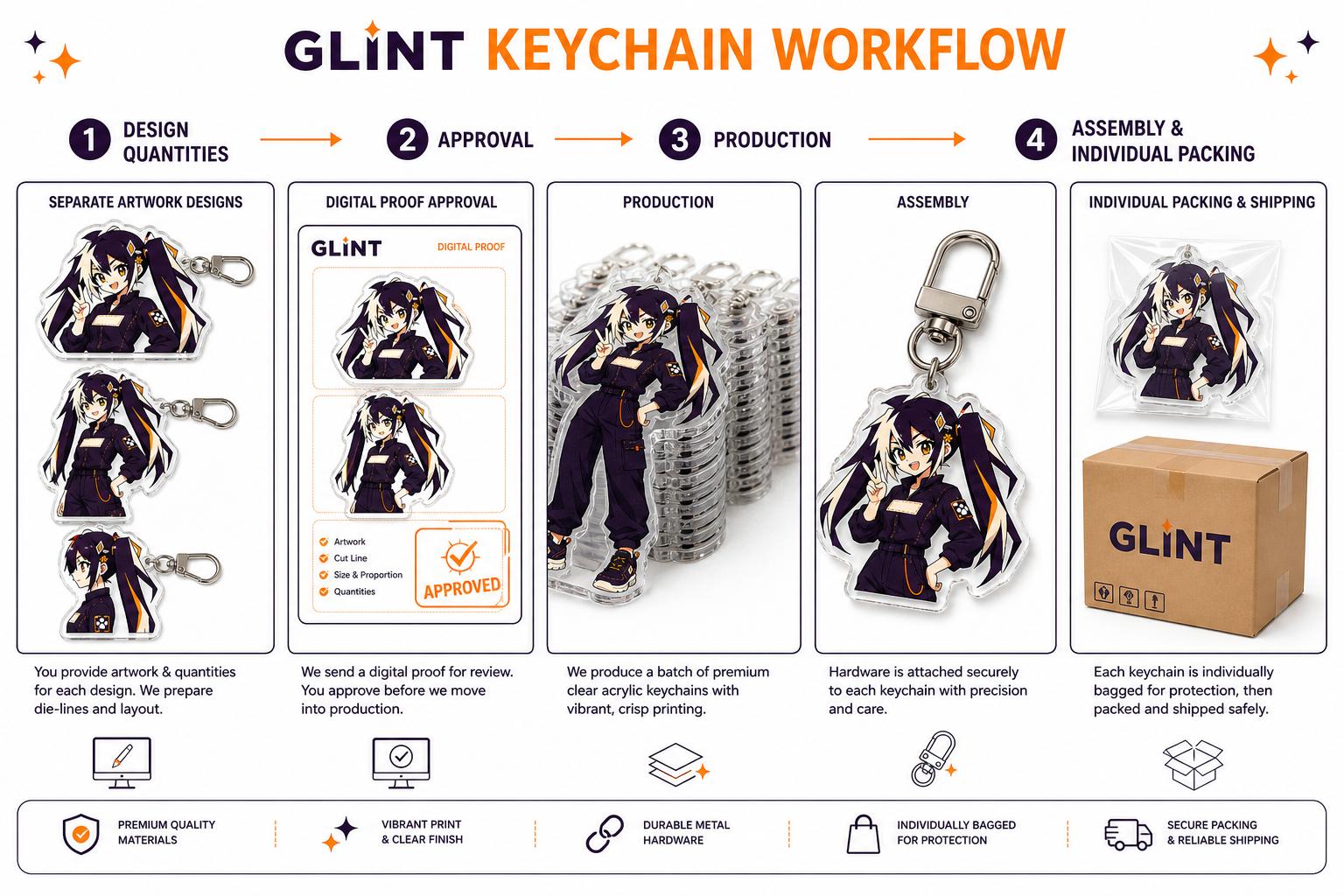
A multi-design order becomes risky when the files, cart quantities and packing labels use different names. Give every sellable design a short stable ID, then use that ID in the artwork filenames, order manifest, proof comments and packing specification. 'GM-KC-014_front.psd' can be traced. 'final-new-2.psd' cannot. Stable names matter even on a small order because the same design may return months later as a different size or finish.
The manifest should use one row per product variant. Record design ID, product type, finished size, material, finish, front/back structure, accessory, quantity and packing. If most designs share a specification, state the default once and list exceptions in their own rows. Do not provide only a grand total; production and packing need a quantity assigned to every individual design.
Version the manifest and proofs together. When a correction is approved, update the revision number rather than overwriting the only copy. Keep obsolete files outside the upload folder so they cannot be mistaken for live artwork. At final approval, the cart or quotation total, the manifest total and the number of approved proofs should agree. That three-way check is one of the simplest ways to prevent missing or duplicated variants.
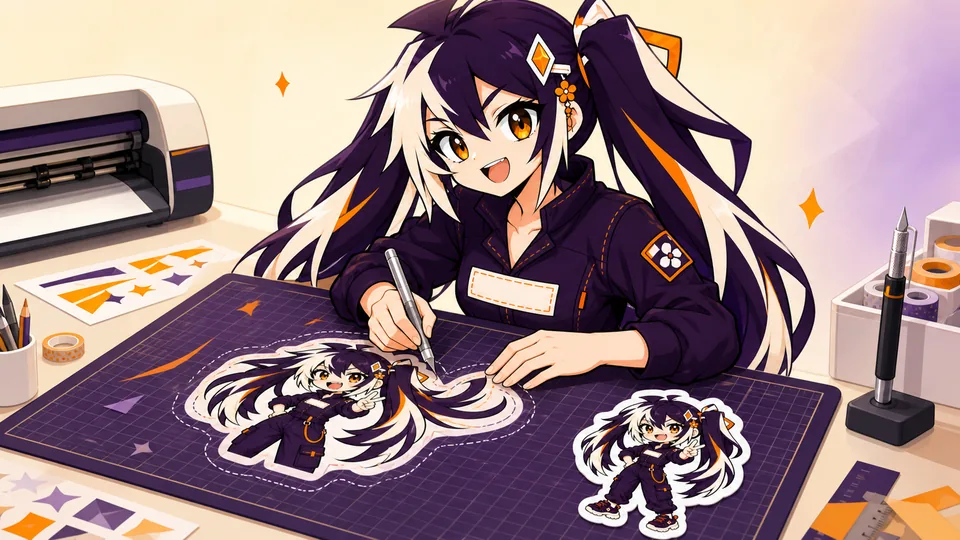
A good sheet is not a bin-packing exercise. Group designs by story, scale or use, then leave enough backing for each piece to peel comfortably. Rotate elements only when it supports the composition; a customer should be able to scan the sheet quickly. Keep every kiss cut safely inside the sheet edge and reserve space for a title, brand mark or instruction only if it adds value after the stickers are removed.
A sticker pack needs a declared assortment. List each design ID, size and count, and decide whether packs are fixed or mixed. Pieces should share a visual language while offering enough difference to feel like a collection. Consider one hero piece, several medium designs and small accents rather than ten graphics competing at the same scale. This hierarchy also creates a stronger product photograph.
Plan packing and quality checks before production. Define backing card, bag, header, barcode and pack quantity. For sheets, inspect kiss-cut depth and peeling without cutting through the backing. For packs, verify that every assortment contains the correct designs. Keep the collection manifest linked to the artwork so a popular pack can be replenished without reconstructing its contents from a retail photo.
- One stable design ID for artwork, proof, quantity and packing.
- One manifest row for every product variant.
- One final revision folder with obsolete files removed.
08
Turn packing and repeat orders into specifications
Packaging is part of the product handoff. Specify whether protective film stays on acrylic, whether metal hardware is wrapped away from printed surfaces, how a base and upright are paired, how a canvas bag is folded and whether sticker sheets need a backing card. A photograph of the approved pack-out is often clearer than a paragraph, but the image still needs a design ID and revision date.
Record the component count from the inside out: pieces per individual bag, individual bags per inner pack and inner packs per carton. Define label content and position, including barcode, design ID or country marking when required. If several designs share a carton, state whether they may be mixed and how the outer label identifies the assortment. These details prevent the receiving team from opening every carton to discover what is inside.
For a repeat order, reuse the approved specification only after checking what changed. Material availability, artwork revisions, accessory colors, destination labeling and carton limits can all evolve. Create a new revision when any of those items changes and keep the old approved sample for comparison. 'Same as last time' is useful context, but it is not a complete production instruction unless last time's files and packing record are attached.
Before submitting artwork, confirm that the buyer has permission to reproduce every character, logo, font, photograph and licensed asset. Manufacturing a physical product does not create usage rights. Fan art, commissioned work and brand collaborations can each have different limits, so keep the relevant license or creator approval with the project record. If approval is restricted by territory, channel or quantity, reflect that in the order plan.
Check whether the destination market, retailer or customer requires specific labels, warnings, material statements or country-of-origin information. These requirements depend on the product and sales context, and they should be confirmed by the buyer's compliance adviser rather than invented by the artwork team. Reserve space for mandatory information before the visual design is finalized.
Treat customer and creator files as controlled business material. Share only the production-ready versions with the people who need them, use stable access links and remove obsolete public links after handoff. For repeat orders, verify that the permission still covers the new quantity and date. This is operational discipline rather than decorative legal language, and it protects the creator, the buyer and the manufacturer from avoidable disputes.
09
Reconcile the manifest before written approval
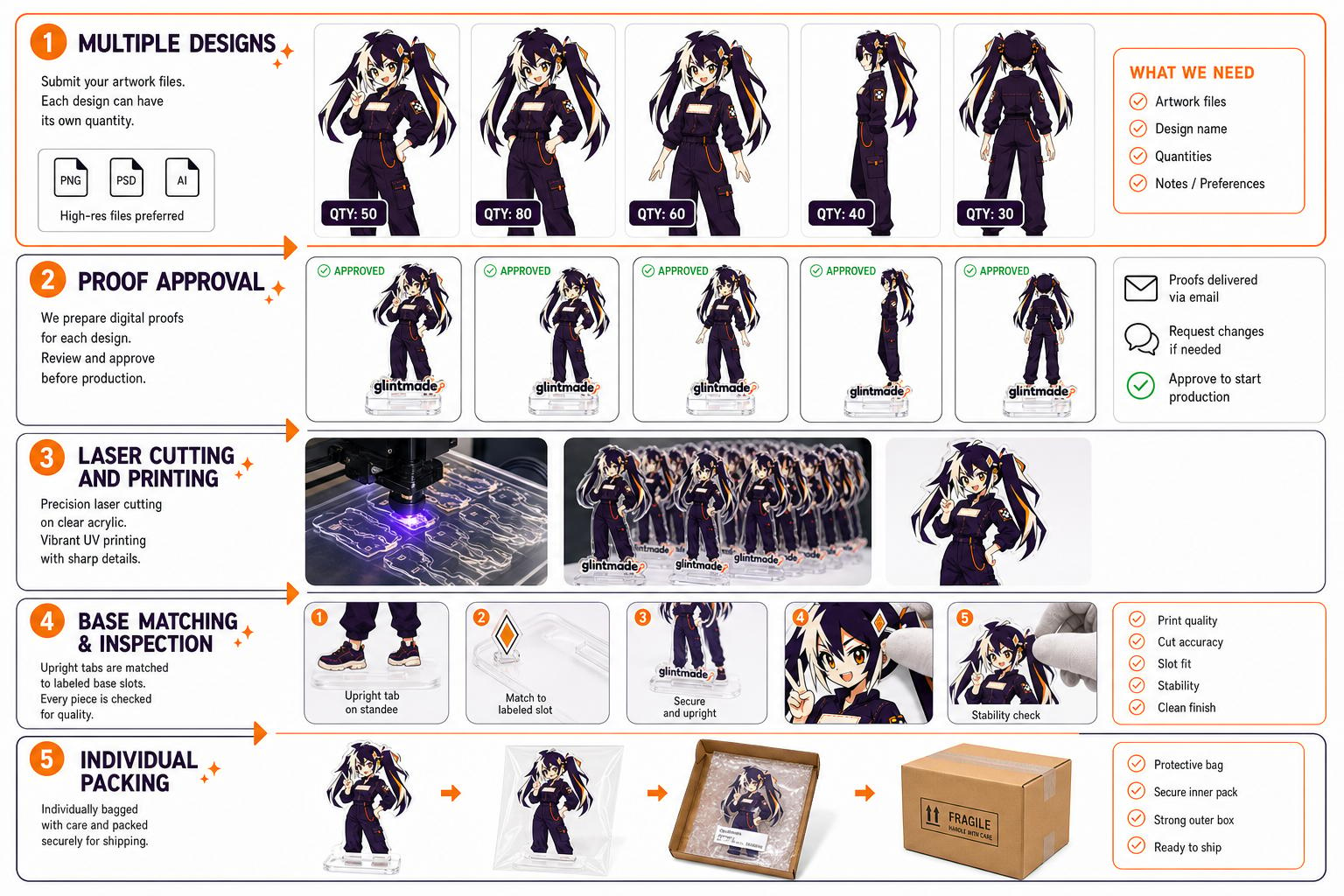
Perform a line-by-line comparison of the order manifest, file folder and proof. Every approved row should lead to the exact production export and the relevant proof view. Every production export should belong to a row. An orphan file can be an old alternative or a forgotten item; do not let the factory choose which interpretation is intended.
Check arithmetic separately from identity. The total number of units may be correct while two designs have exchanged quantities. Compare design-level counts first, then reconcile the total in the appropriate unit. Keep individual pieces, complete sets and retail packs in separate columns where they are different concepts. A pack containing several pieces still needs an unambiguous number of finished packs and a composition for each pack.
When a revision changes a file or quantity, update the manifest and show the change together. Use one correction list rather than multiple messages that overwrite each other. Recheck the packing arrangement if a variant was removed or replaced, because an assortment may depend on every component being present. Save the accepted manifest with the final proof and approval message so the same identifiers can be used during incoming checks and future replenishment.
- No missing rows or unexplained production files
- Design-level quantities checked before totals
- Ordering units written in plain language
- Paired files and components identified
- Packing and proof records use the same revision
FAQ
Frequently asked questions
Does uploading five files order five designs?
Not necessarily. Some files may be sides, layers or components of the same item. Identify finished designs and variants in the manifest, then map each file to its purpose.
Can I combine quantities to reach a price tier?
Ask how the selected product and quotation handle design-level quantities. Do not assume that several designs, sizes or finishes share one ordering rule merely because their grand total is the same.
How should I record a front and back file?
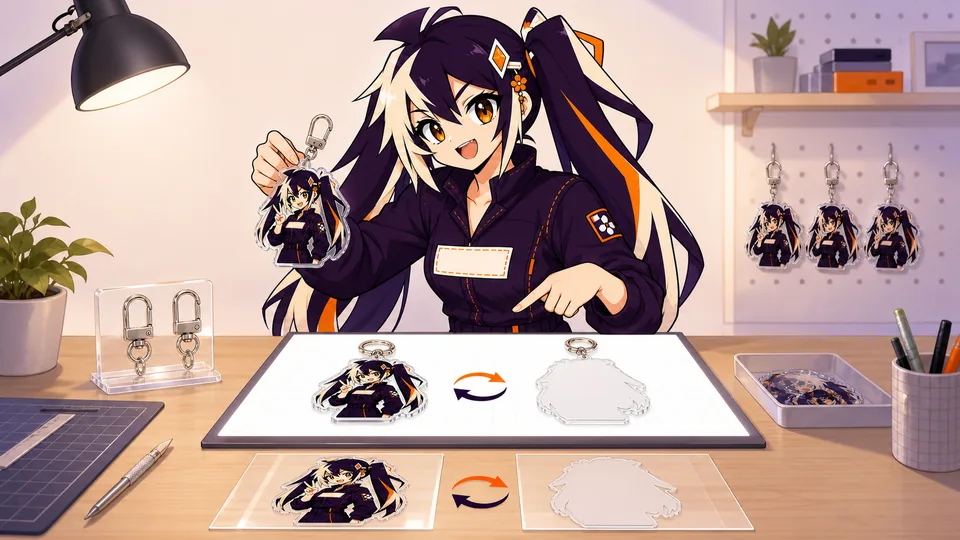
Give them the same design ID with side labels and matching versions. Record the quantity of complete items, and use the paired proof to confirm both identity and orientation.
What happens when one design changes after review?
Update its export and manifest row, identify the changed version and check dependent quantities or pack contents. Ask for a revised proof covering the change before approval.
What should be in the final approval folder?
Keep the approved manifest, requested production exports, paired-component references, final proof, packing instructions and written acceptance. They should describe the same design IDs and versions.